How to use TipOS,
step by step.
Two paths with real app screenshots: one for bettors, one for those who publish tips and manage a community.
Animated preview in 26 seconds. Scroll for the step-by-step details.
First login and Home
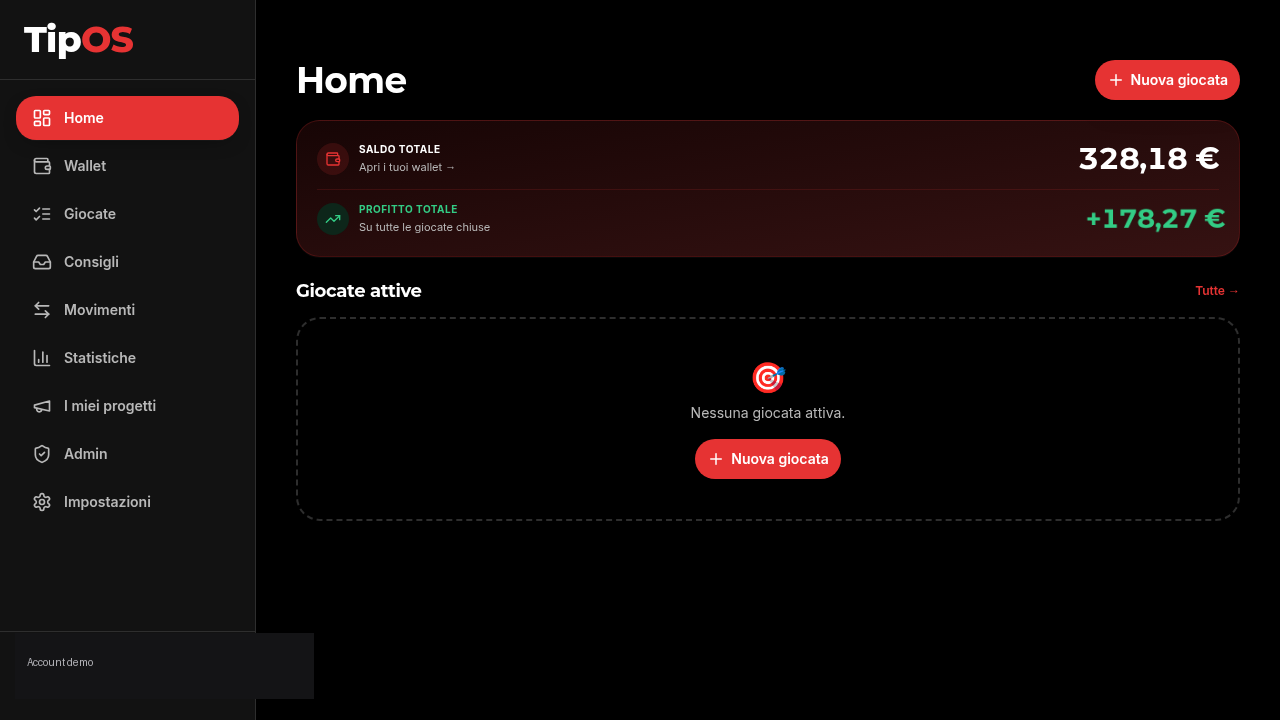
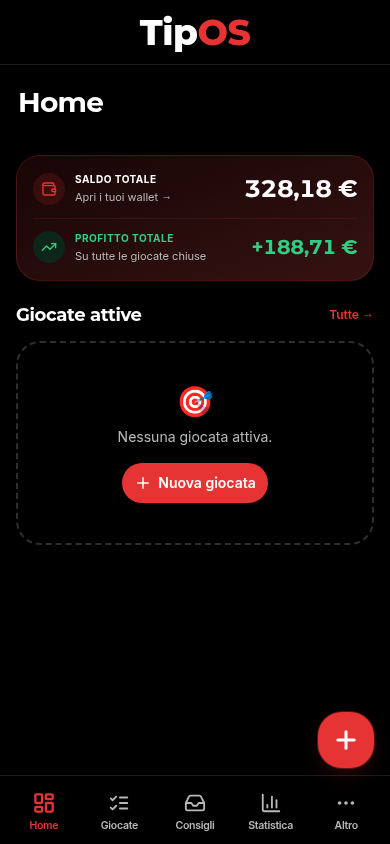
After login you land on Home: total balance, cumulative profit and active bets at a glance. Everything starts here — the New bet button top-right opens the entry flow.
- Total balance = Main account + all bookmaker wallets
- Total profit = P/L across all closed bets
- The left sidebar is the app's main menu
Set up wallets and bookmakers
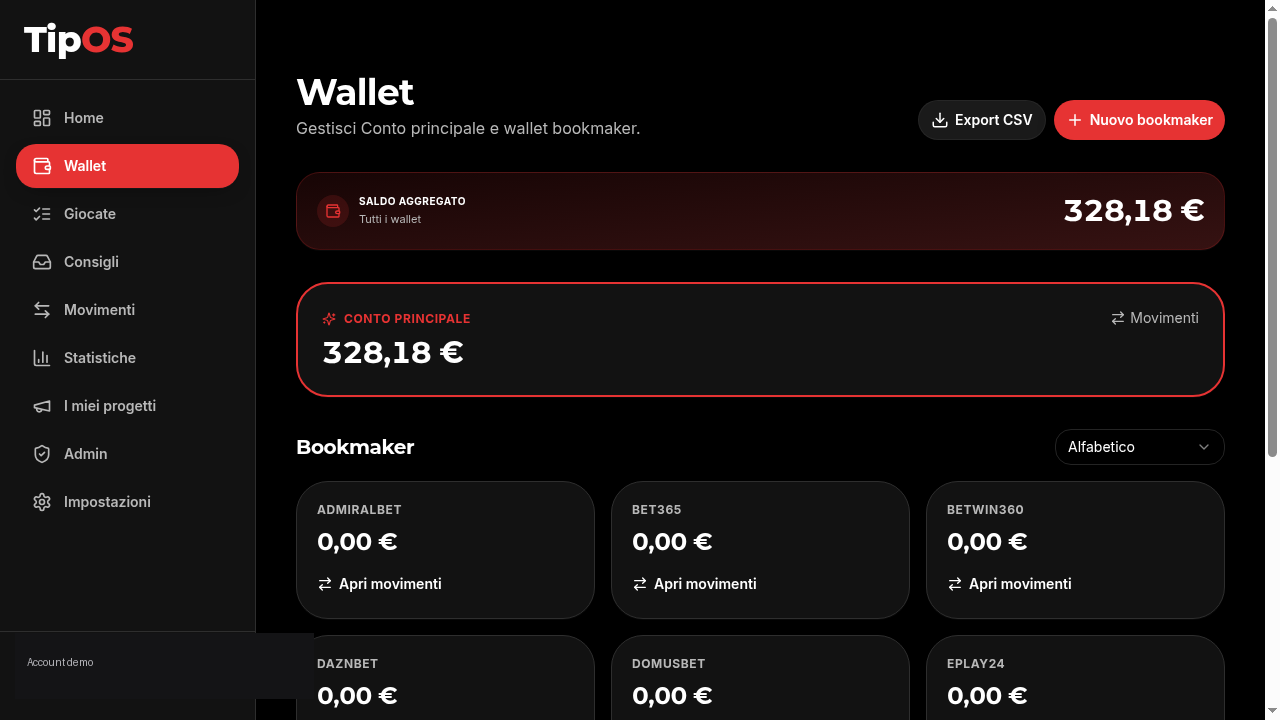
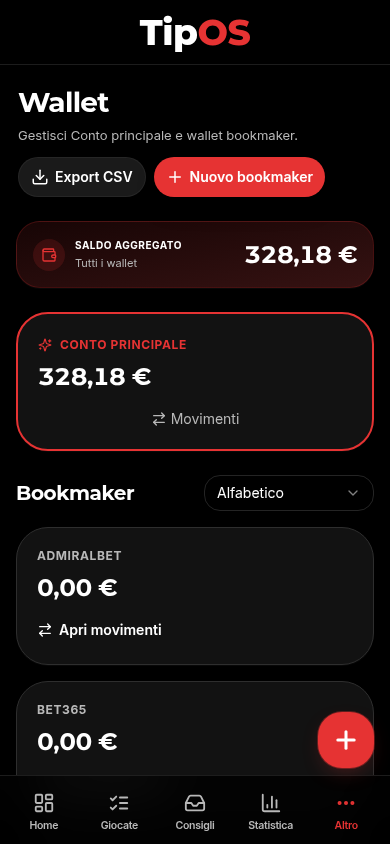
In the Wallet section you have a Main account (your bankroll) and one wallet per bookmaker. Add the bookmakers you use with New bookmaker, credit the balance and keep everything separated.
- Main account: the cash pool you move money from to bookmakers
- One wallet per bookmaker: Sisal, Snai, Bet365, Goldbet, Eurobet, Lottomatica and more
- Open movements on any wallet to see every credit and debit
- CSV export to Excel or your accountant
Log a bet
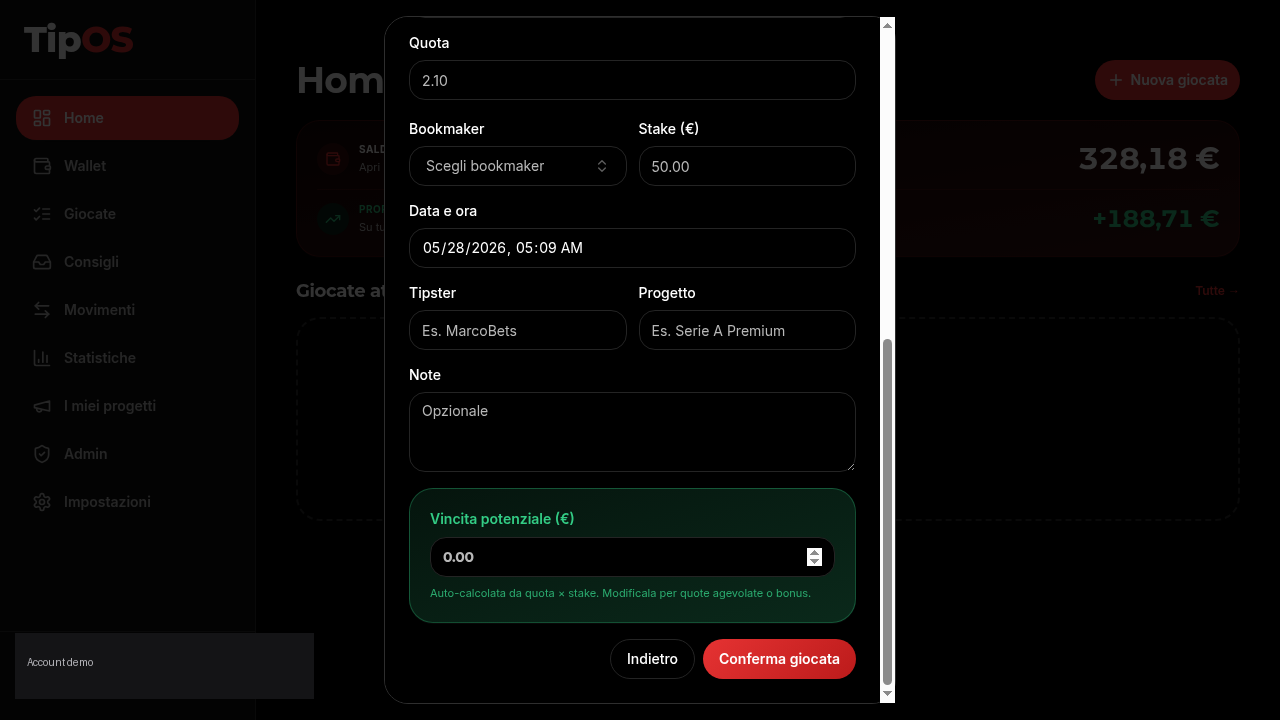
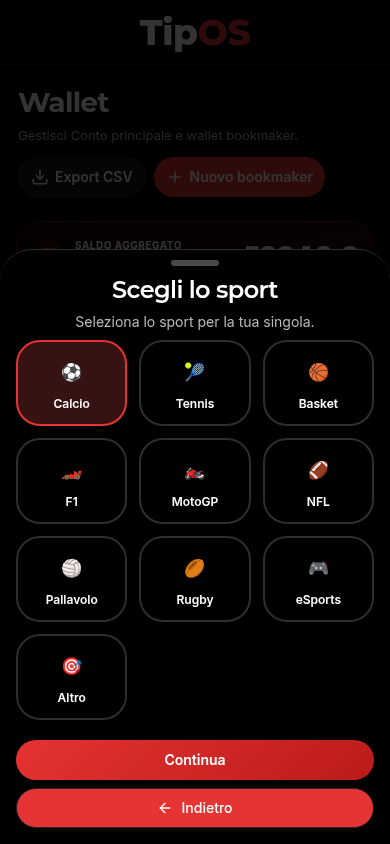
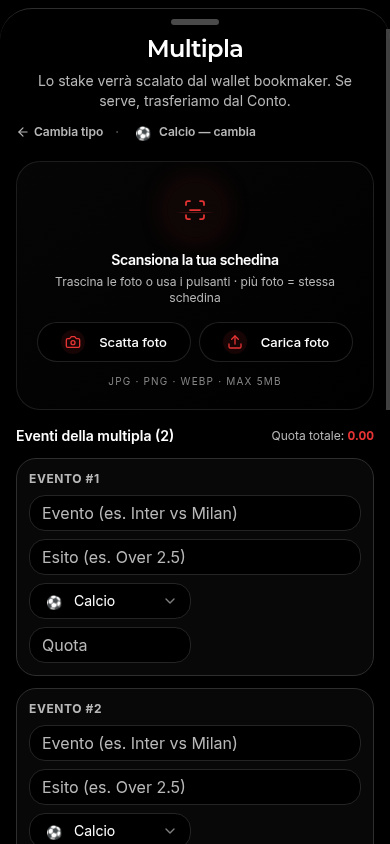
Press New bet, pick Single or Accumulator, then the sport. Fill event, pick, odds, bookmaker, stake. Potential payout is auto-computed (odds × stake) and editable for boosted odds or bonuses.
- The stake is deducted automatically from the chosen bookmaker wallet
- If the wallet is low, we ask first how much to transfer from the Main account
- Optional Tipster and Project fields to track followed tips
- Free notes to remember why you placed the bet
AI slip scanner
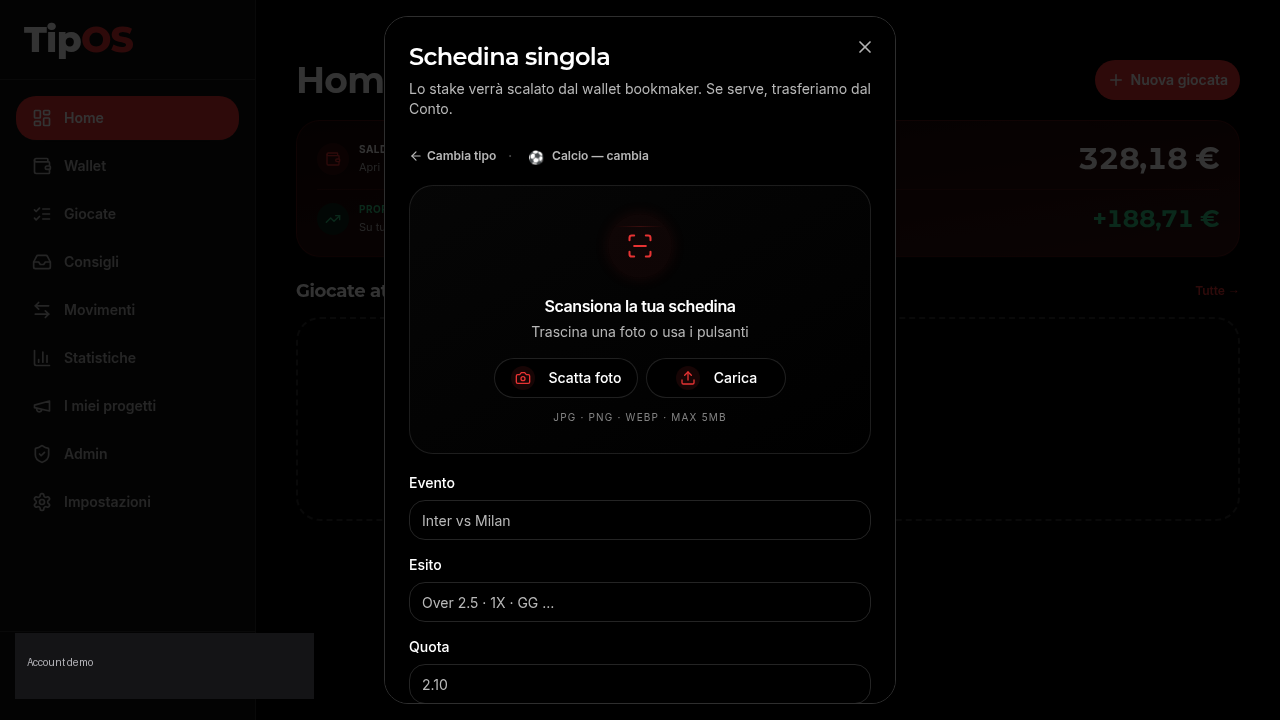
Got a paper slip or a screenshot from the bookmaker? Upload or snap a photo: AI recognition extracts event, pick, odds and stake and pre-fills the form. You review and confirm.
- Supported formats: JPG, PNG, WEBP — up to 5 MB
- AI fills the fields — you check and edit if needed
- Nothing is saved until you press Confirm bet
- The free plan includes 30 trial scans
Movements and transfers
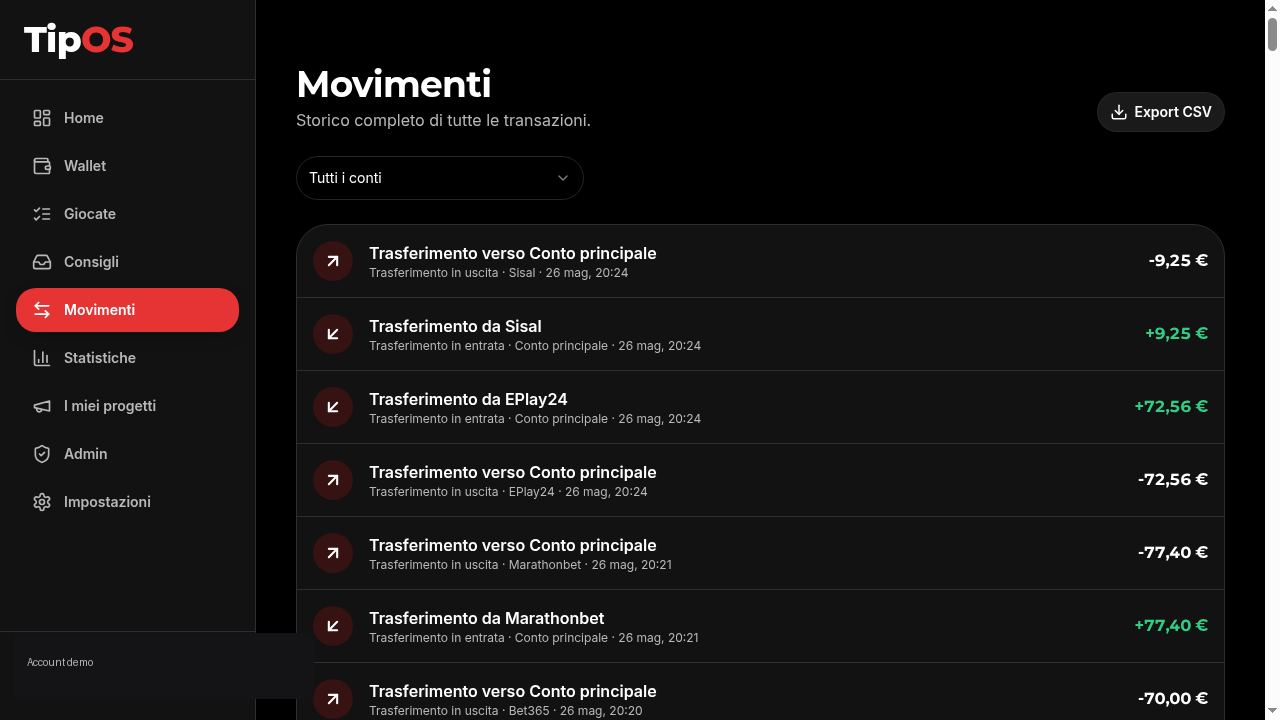
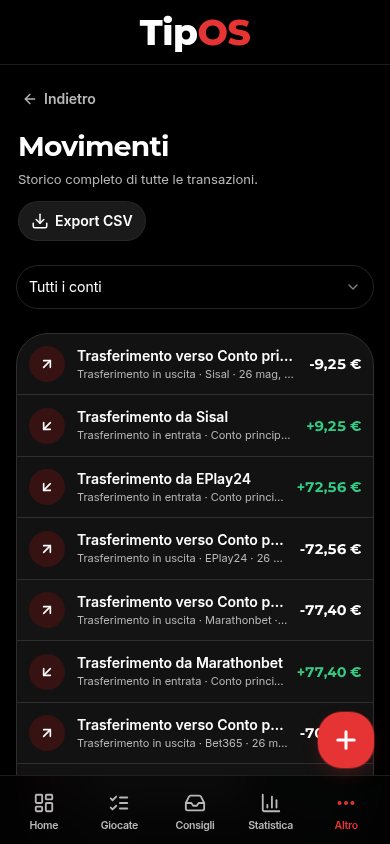
Movements is the full history of every transaction: deposits, withdrawals, wallet-to-wallet transfers, stakes placed and winnings collected. Filter by account to isolate a single bookmaker.
- Each bet generates two mirrored movements (stake out / payout in)
- Transfers between Main account and bookmaker wallets are always tracked
- Filter by specific account or view All accounts together
- CSV export from here as well
Projects and tipsters
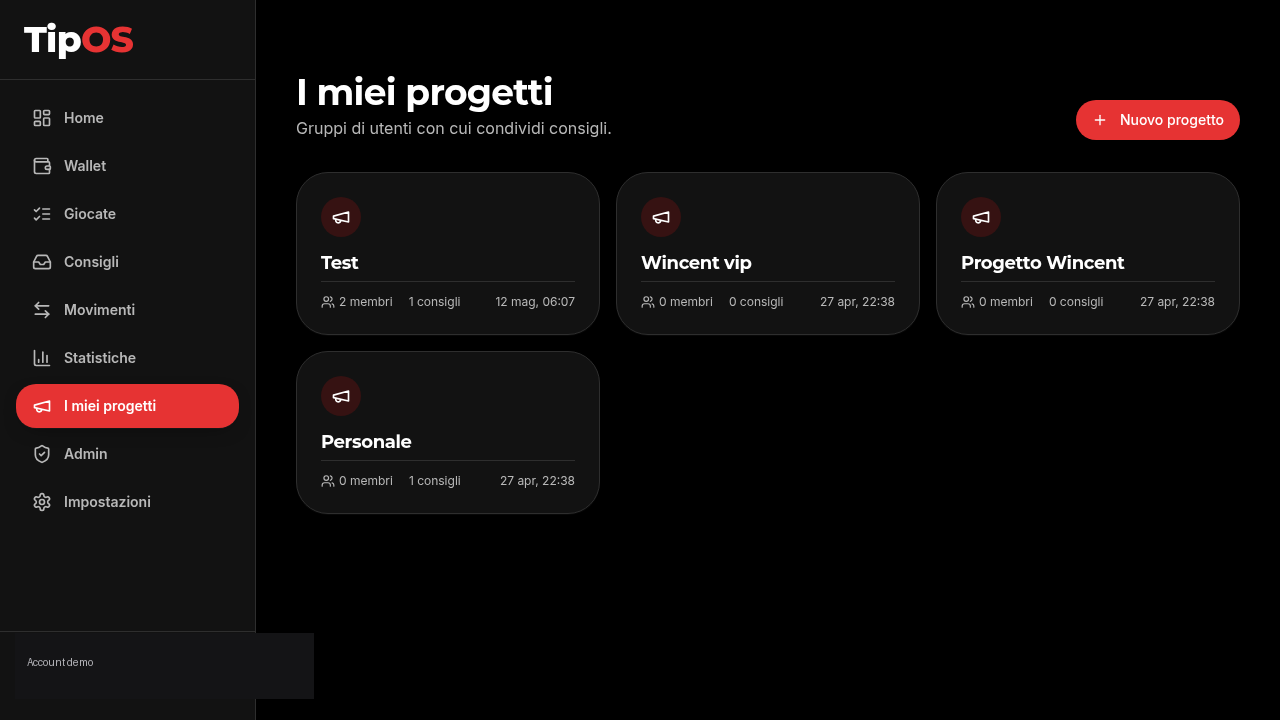
Projects are groups where you share tips with other users. Create a personal project to keep your tips organised, or join projects where expert tipsters publish their picks.
- Public tipster projects: read the tips and replicate with one tap
- Personal projects: organise your tips by category or strategy
- Invite members and manage roles per project
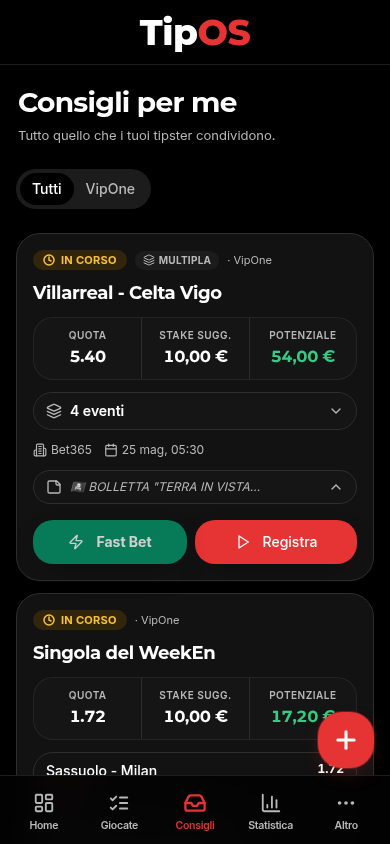
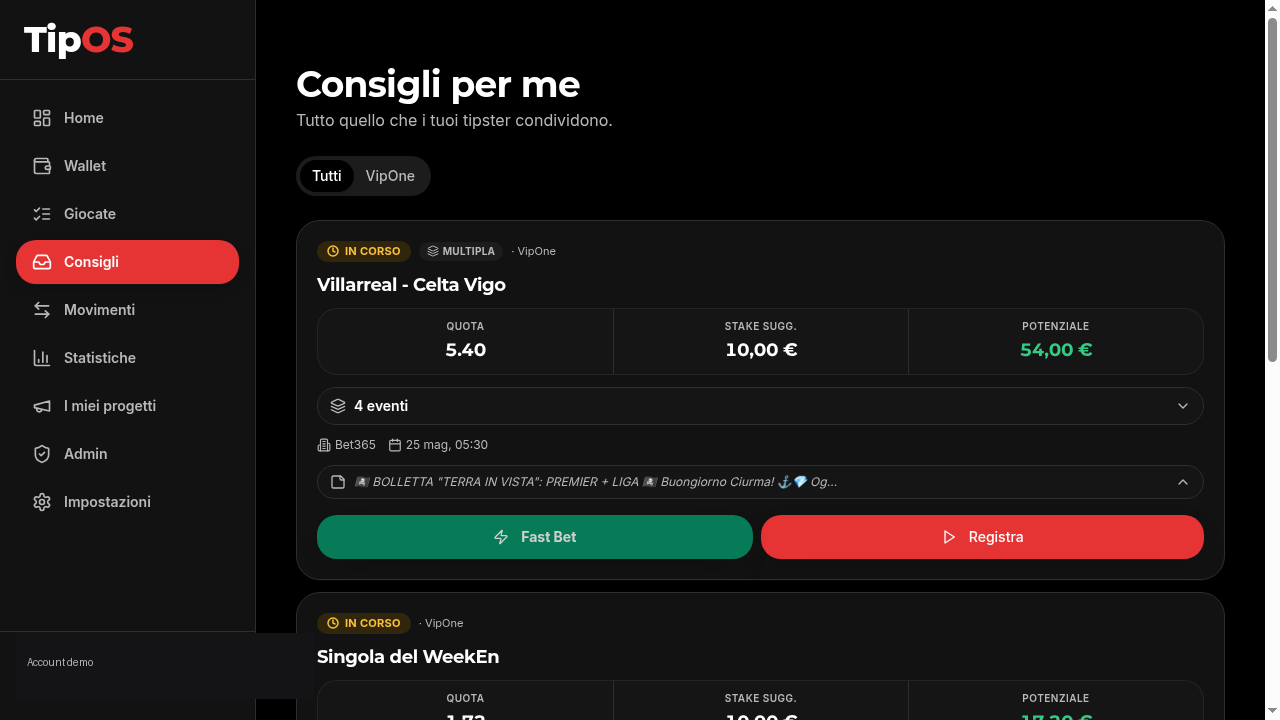
In the Tips section you see every incoming tip. Fast Bet opens the bookmaker directly; Log Bet tracks the bet on your wallet.
Analytics, ROI and export
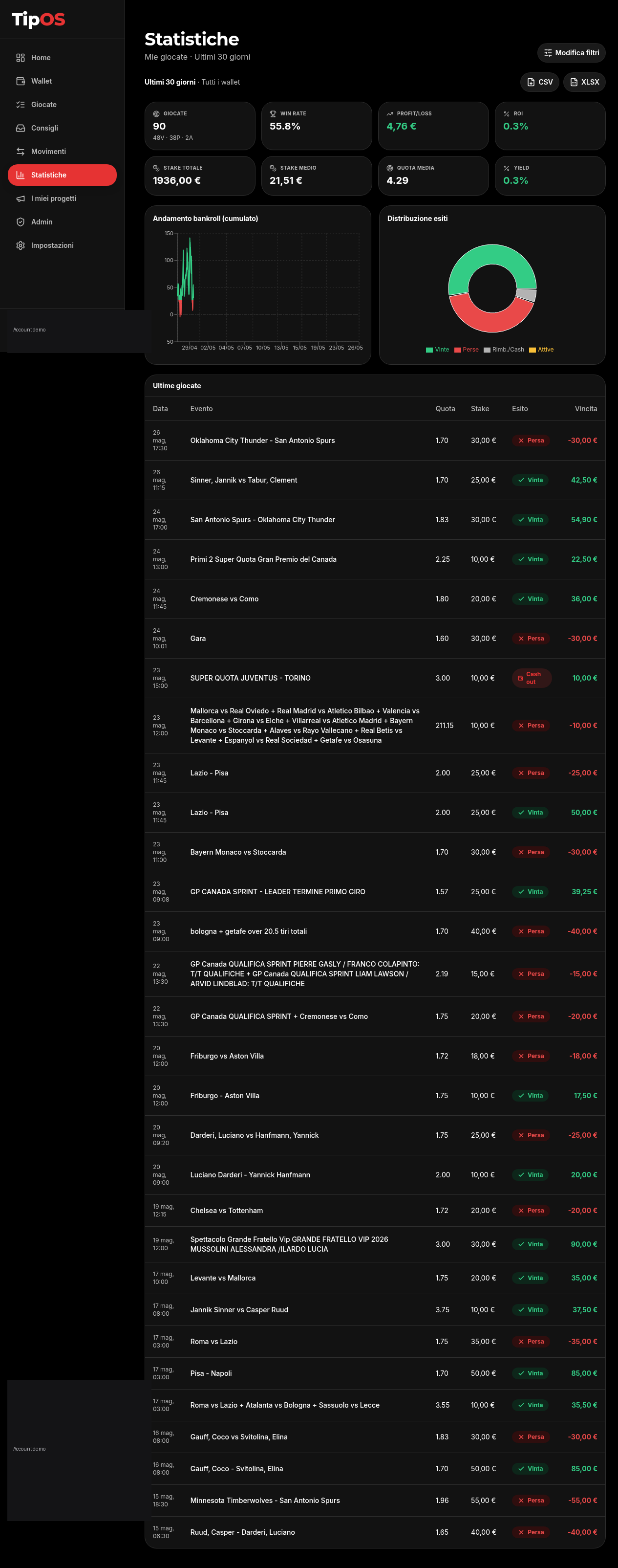
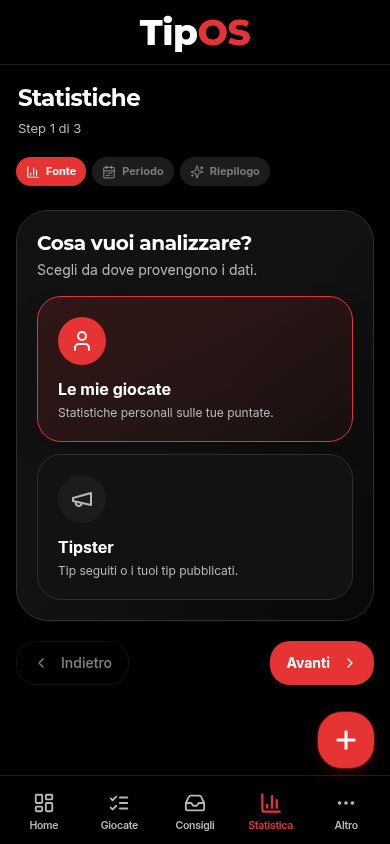
3-step wizard: pick the source (your bets or tipster tips), the period (today, 7/30 days, month, year, custom) and press Show analytics. Get KPIs, bankroll trend, outcome distribution and the full list.
- Bets, Win rate, Profit/Loss, ROI, Yield, average Stake and Odds
- Cumulative bankroll chart day by day
- Won / Lost / Refunded / Active distribution
- CSV or XLSX export of KPIs and bet list
Plan and settings
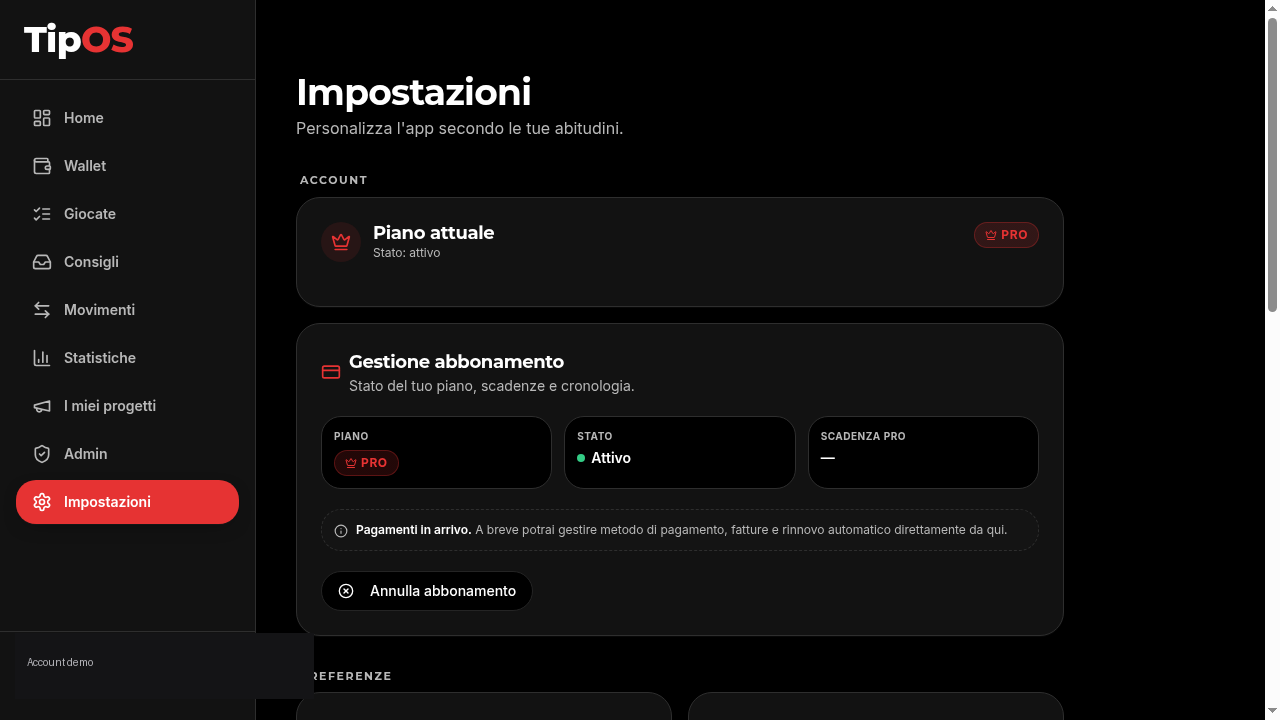
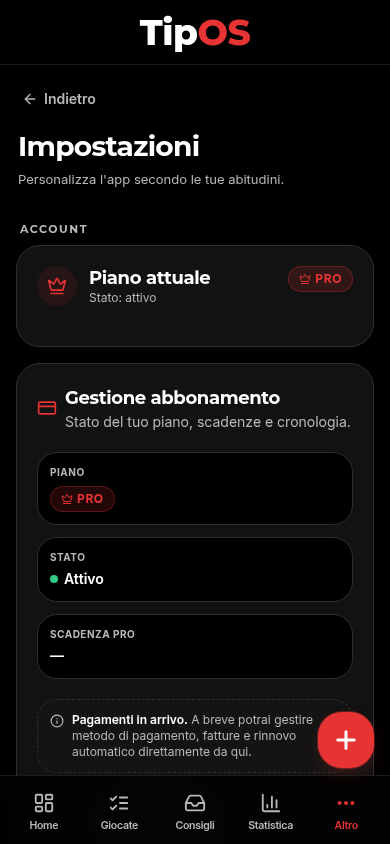
In Settings you manage subscription, plan status, PRO expiry and app preferences. Integrated payment management is coming: for now plan status is always visible here.
- Current plan and status (Trial, PRO, expired)
- Cancel the subscription on your own, any time
- Customise preferences like timezone, currency, notifications
Ready to start?
30-day free trial, 30 AI scans included. No card required to try.